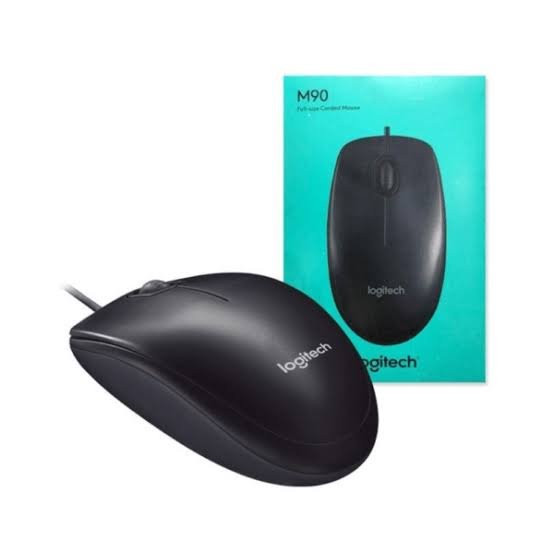
Logitech M90 USB Optical Mouse Overview
The Logitech M90 (910-001793) is a full-size wired mouse with a 1000 DPI optical sensor. It suits everyday tasks such as browsing, reviewing documents and navigating spreadsheets on a compatible desktop or laptop.
The attached cable connects to a USB-A port for power and input. The ambidextrous shape suits left- and right-handed users, and the clickable scroll wheel lets you move through long pages.
Browse our computer mice in Kenya or explore the Logitech Online store in Kenya for more Logitech peripherals.
Key Features of the Logitech M90
Wired USB-A Connection
Plug the attached cable into a compatible USB-A port. The mouse draws power from the computer and is ready for basic pointer operation once recognised.
1000 DPI Optical Tracking
The optical sensor handles everyday pointer tasks such as selecting text, moving between cells and navigating menus.
Full-Size Ambidextrous Shape
The symmetrical body can be used in either hand, making it practical for shared workstations and computer labs.
Clickable Scroll Wheel
Scroll through documents and web pages or press the wheel for middle-click functions supported by your software.
Logitech M90 910-001793 Specifications
| Specification | Details |
|---|---|
| Brand and model | Logitech Mouse M90 |
| Manufacturer part number | 910-001793 |
| Connection | Wired USB-A |
| Sensor and resolution | Optical, 1000 DPI |
| Controls | Left button, right button and clickable scroll wheel |
| Shape | Full-size, ambidextrous |
| Power source | USB bus power |
| Colour | Black |
Compatibility and Typical Applications
Use the M90 with a computer that supports standard USB mouse input. For a device with USB-C ports only, use a compatible USB-C to USB-A data adapter or hub, sold separately.
- Office desktops used for records, documents and spreadsheets.
- School computer labs and shared workstations.
- Home laptop setups that need a separate pointing device.
Logitech M90 FAQs
Does the Logitech M90 require batteries or Bluetooth?
The Logitech M90 connects and draws power through its attached USB-A cable.
Can I use the Logitech M90 with either hand?
Yes. The full-size symmetrical body fits either hand. You can change the primary mouse button in your operating system settings where supported.
Where can I find setup instructions?
See Logitech’s M90 setup guide for product support.
Related Products
- HP ProBook 460 G11 Core Ultra 7 Bundle (CT9N5ET), a 16-inch notebook bundle with USB-A ports for wired peripherals.
Request a Logitech M90 Quote in Nairobi
Contact Masterpiece Systems Limited in Nairobi CBD for a quote on the Logitech M90 USB Optical Mouse (910-001793). Share the quantity you need and your preferred collection or delivery location.
Ask about collection from our Nairobi CBD office or delivery to Nairobi, Mombasa, Kisumu, Nakuru, Eldoret, Thika, Kiambu, Machakos, Nyeri, Meru, Embu, Kakamega, Kisii, Kitale, Naivasha, Kericho, Bungoma, Garissa, Malindi and other towns throughout Kenya. Share your delivery location so we can confirm available options and charges before you order.
Call 0724 307 684, message us on WhatsApp, or email sales@masterpiece.ke.


Reviews
There are no reviews yet.